

How to integrate pre-ordering into your festival app
Most festivals already have a powerful sales channel in their guests’ pockets: the official event app.
Whether the app is built by Appmiral, Leap Event Technology, WMT digital (Aloompa) FestApp or another supplier, it is often where guests return in the final weeks before the event to check the programme, maps, practical information and arrival details.
That makes it a natural place for pre-ordering.
Here's a few tips and tricks to enhance your experience.
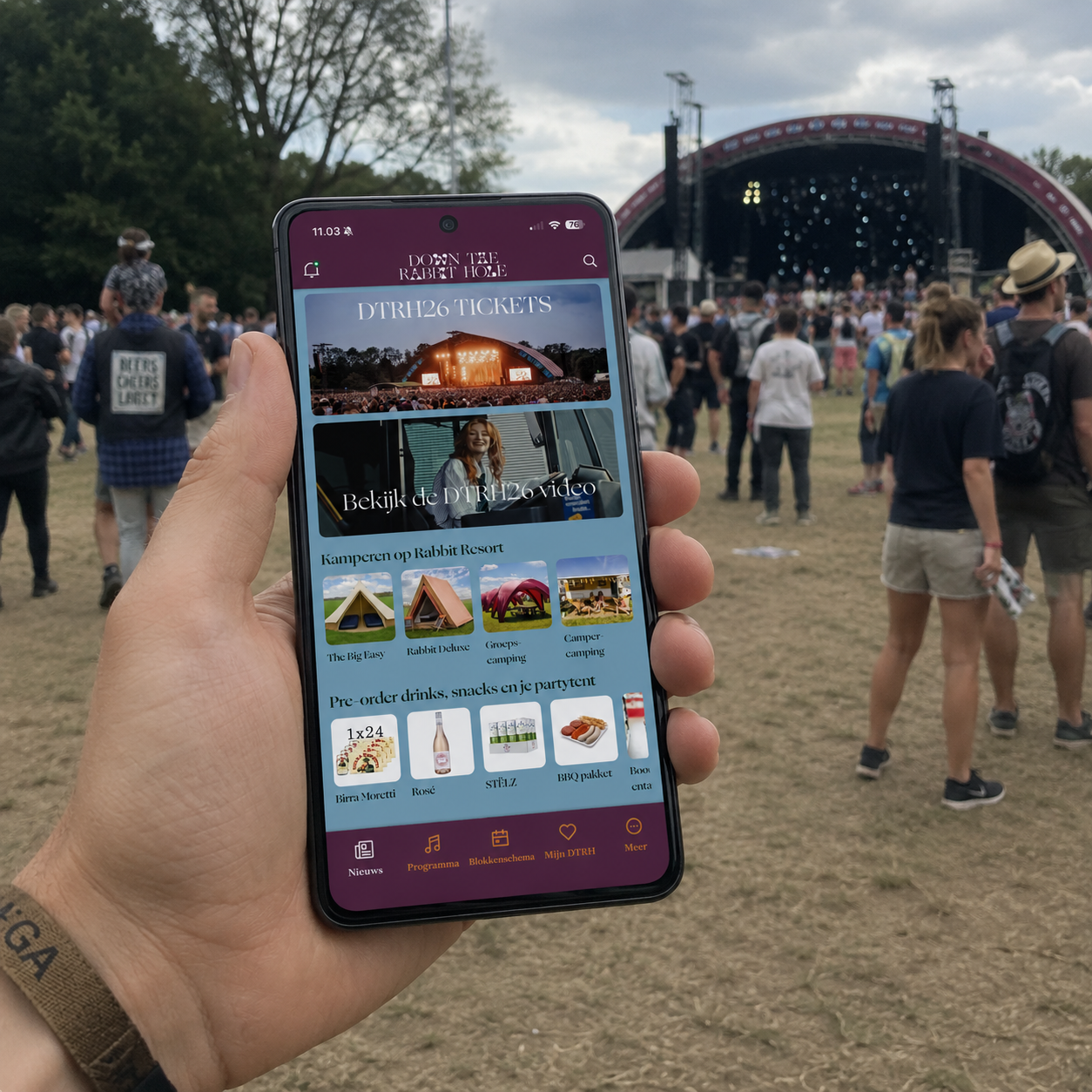
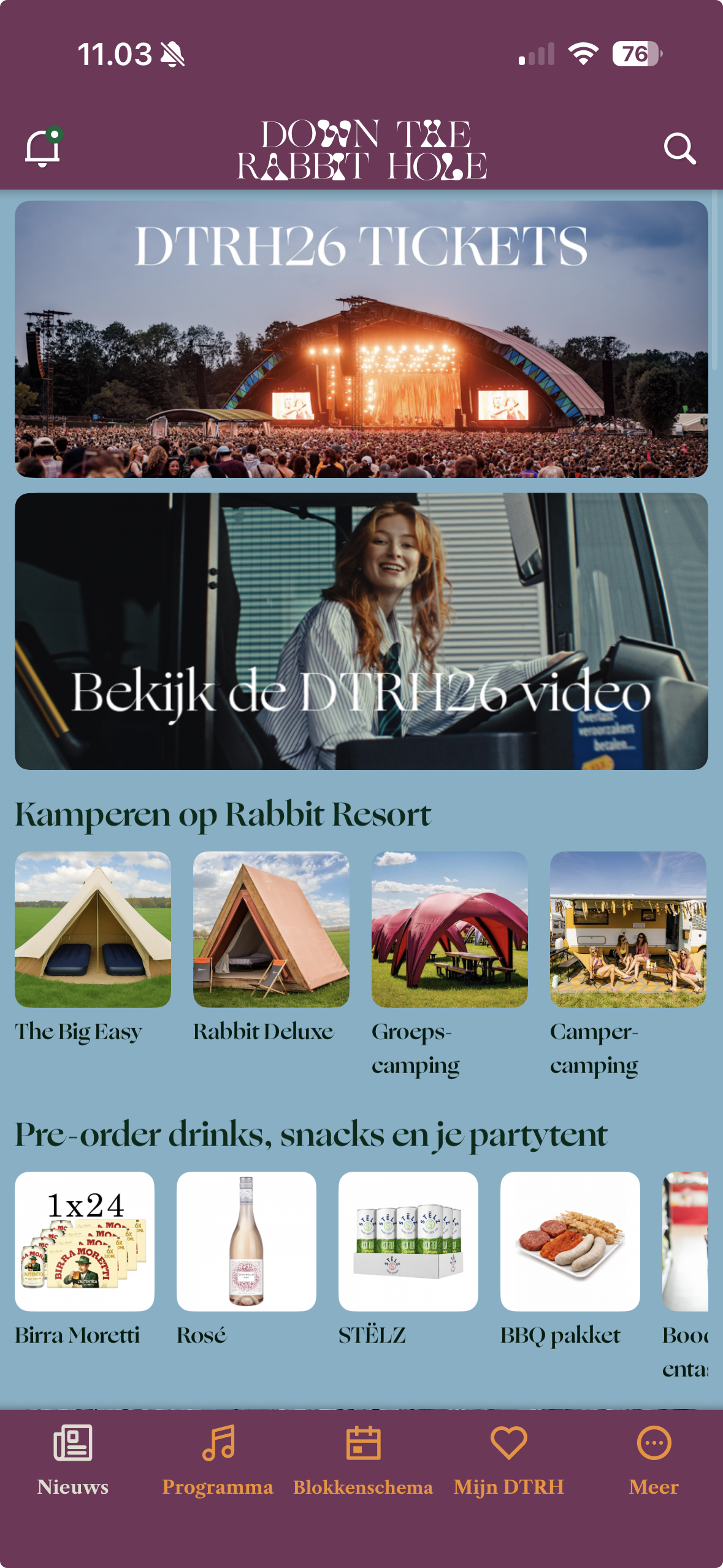
1. Add product cards to the home screen
The app home screen is valuable space.
In the weeks leading up to the festival, guests are opening the app more often. They are checking schedules, planning arrival and thinking about what they need to bring.
This is the right moment to show products such as lockers, mobile charging, camping equipment, cold drinks, parking, merchandise or rentals.
Many event apps already support home screen banners, cards or promoted content blocks. These can link directly to a Preo shop or a specific product category, so guests can move from interest to checkout in just a few taps.
The important thing is visibility. A clear product card on the home screen will usually perform better than a shop link hidden in a menu.
Example: Down The Rabbit Hole App made with Appmiral
Most festivals already have a powerful sales channel in their guests’ pockets: the official event app.
Whether the app is built by Appmiral, Leap Event Technology, WMT digital (Aloompa) FestApp or another supplier, it is often where guests return in the final weeks before the event to check the programme, maps, practical information and arrival details.
That makes it a natural place for pre-ordering.
Here's a few tips and tricks to enhance your experience.
1. Add product cards to the home screen
The app home screen is valuable space.
In the weeks leading up to the festival, guests are opening the app more often. They are checking schedules, planning arrival and thinking about what they need to bring.
This is the right moment to show products such as lockers, mobile charging, camping equipment, cold drinks, parking, merchandise or rentals.
Many event apps already support home screen banners, cards or promoted content blocks. These can link directly to a Preo shop or a specific product category, so guests can move from interest to checkout in just a few taps.
The important thing is visibility. A clear product card on the home screen will usually perform better than a shop link hidden in a menu.
Example: Down The Rabbit Hole App made with Appmiral
2. Make mobile payment fast
Once guests click through, the checkout needs to be quick.
Most pre-orders happen on mobile, close to the event, so payment friction matters. Guests should be able to use the payment methods they already trust, such as iDEAL, MobilePay, Apple Pay, Google Pay or card payments.
With Preo, festivals can enable local and mobile-first payment methods, making it easier for guests to complete the purchase without unnecessary steps.
A smooth payment flow is one of the simplest ways to increase conversion.
3. Add a wallet inside the app
The best mobile experience does not stop after checkout.
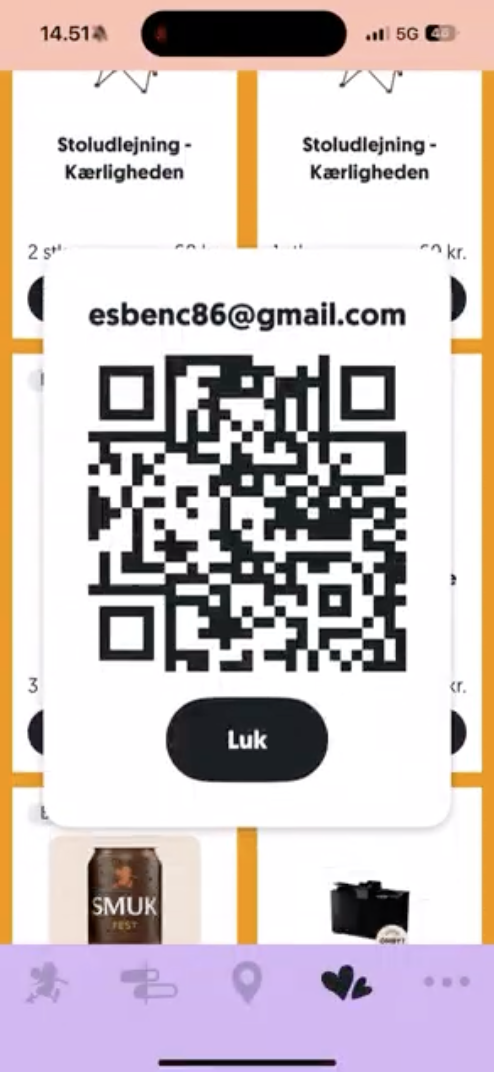
With Preo’s API, festivals and app suppliers can show a wallet directly inside the event app. Guests can see their purchased products, view order details, display a QR code and check whether products are ready for pickup or already collected.
This removes the need for guests to search through emails, PDFs or printed confirmations.
At the festival, they simply open the app, show the QR code and staff can scan it using the Preo scanner app. For rentals, deposits, lockers, drinks or campsite services, this creates a cleaner flow for both guests and onsite teams.
Example: Smukfest App with wallet integration
Once guests click through, the checkout needs to be quick.
Most pre-orders happen on mobile, close to the event, so payment friction matters. Guests should be able to use the payment methods they already trust, such as iDEAL, MobilePay, Apple Pay, Google Pay or card payments.
With Preo, festivals can enable local and mobile-first payment methods, making it easier for guests to complete the purchase without unnecessary steps.
A smooth payment flow is one of the simplest ways to increase conversion.
3. Add a wallet inside the app
The best mobile experience does not stop after checkout.
With Preo’s API, festivals and app suppliers can show a wallet directly inside the event app. Guests can see their purchased products, view order details, display a QR code and check whether products are ready for pickup or already collected.
This removes the need for guests to search through emails, PDFs or printed confirmations.
At the festival, they simply open the app, show the QR code and staff can scan it using the Preo scanner app. For rentals, deposits, lockers, drinks or campsite services, this creates a cleaner flow for both guests and onsite teams.
Example: Smukfest App with wallet integration
A natural extension of the festival app
By combining home screen promotion, fast mobile payments and an in-app wallet, festivals can create a much smoother pre-ordering experience.
Guests discover products where they already spend attention, pay with the methods they prefer and access everything in one place during the event.
Most festivals already invest in an official app.
Preo helps turn that app into a stronger sales channel before the event — and a better operational tool onsite.
By combining home screen promotion, fast mobile payments and an in-app wallet, festivals can create a much smoother pre-ordering experience.
Guests discover products where they already spend attention, pay with the methods they prefer and access everything in one place during the event.
Most festivals already invest in an official app.
Preo helps turn that app into a stronger sales channel before the event — and a better operational tool onsite.